









Frequently Asked Questions
Raporlama & Performans
Reporting & Performance
Gain data-driven visibility into customer communication and team performance
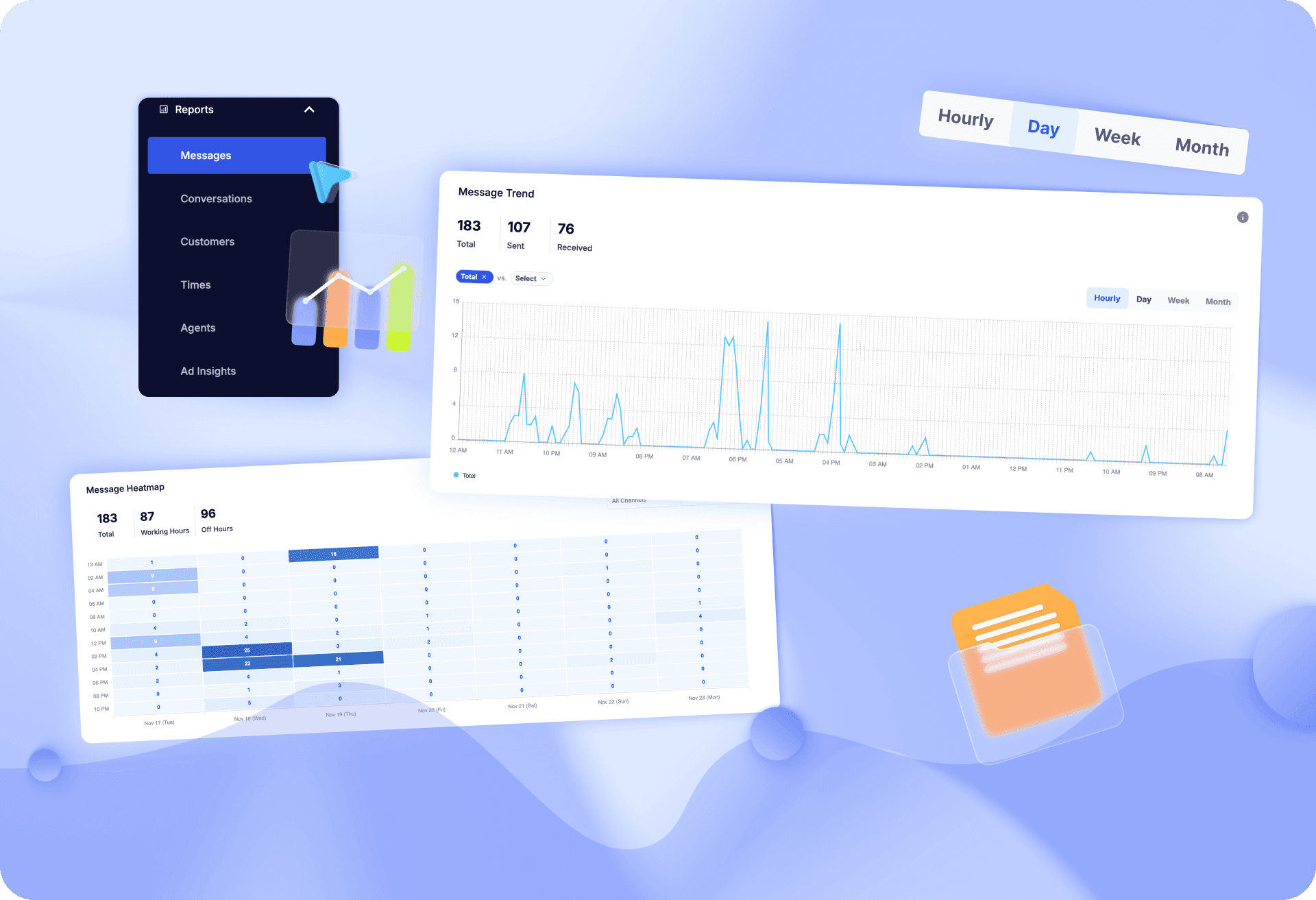
Analyze incoming, outgoing, and total message volumes alongside new conversations and new customer counts over time. Use the conversation heatmap to evaluate how customer requests are distributed across different days and hours.
From Data to Operational Visibility
See not only how many messages you receive, but also how your operations perform
Evaluate customer communication through message volume, activity levels, response performance, and team workloads. Use Connexease reports to analyze communication volume, conversation context, and agent activities together.
Track Communication Volume
Review incoming, outgoing, and total message counts, newly opened conversations, and new customer numbers.
Evaluate Response Performance
Analyze first response times, average response times, agent response times, and conversation duration metrics together.
Gain Visibility into Team Workloads
Track conversations assigned to, answered, joined, or viewed by agents, along with the messages they send.
Understand the Context of Customer Requests
Analyze conversations using information such as channel, group, category, language, source, and advertisement name.
An Overview of Customer Demand
Track message and conversation volumes over time
Analyze incoming, outgoing, and total message volumes alongside new conversations and new customer counts over time. Use the conversation heatmap to evaluate how customer requests are distributed across different days and hours.
Message Volume
- Incoming Messages: Review the number of messages received from customers within the selected time period.
- Outgoing Messages: Track the total number of messages sent during operations within the scope of the report.
- Total Messages: Evaluate incoming and outgoing messages together to gain an overall view of communication volume.
Conversation Volume
- New Conversations: Track new customer conversations opened within a specified date range.
- New Customers: Review the number of contacts recorded as new customers in Connexease reports.
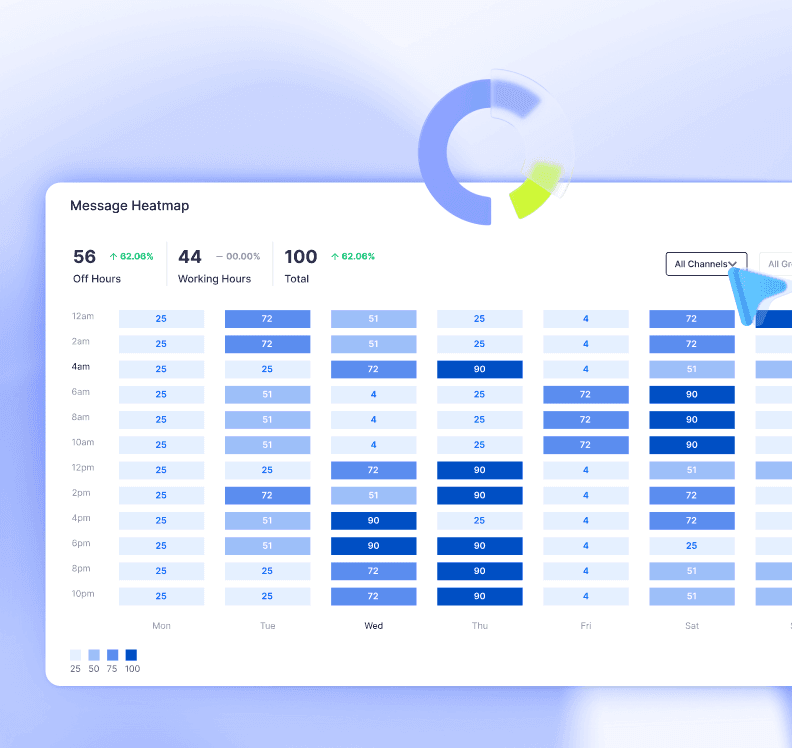
Conversation Heatmap
- Identify the days and hours with the highest conversation volumes. Use the Conversation Heatmap to visualize the distribution of customer requests over time.
From Response Speed to Agent Activity
Evaluate response performance and team workloads together
Analyze how long customers wait for their first response, how quickly conversations progress, and how teams contribute to customer communication. Evaluate agent activities through message volumes, conversation participation, and working statuses.
Response Times

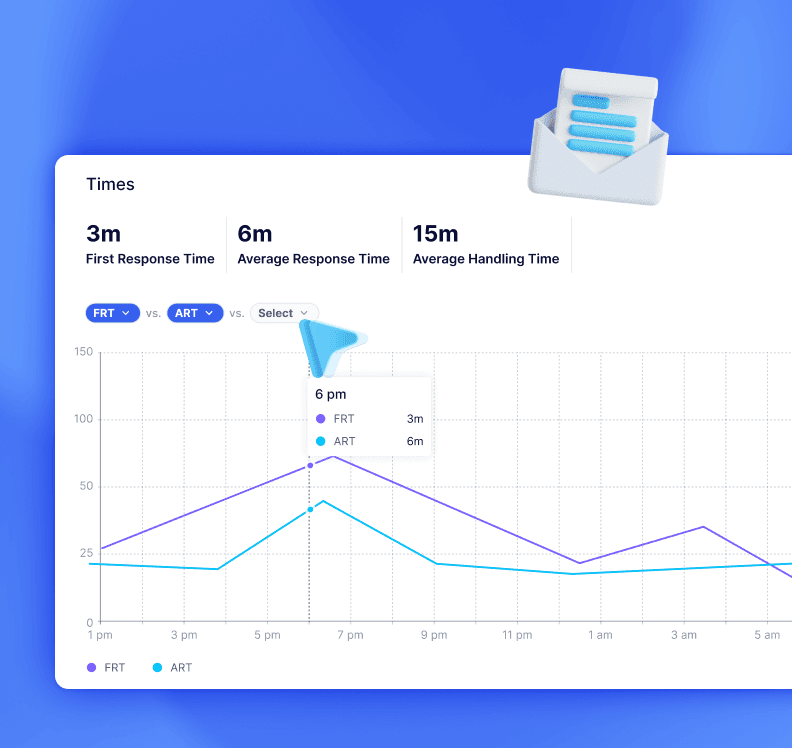
First Response Time
Evaluate how long customers wait for the first response at the beginning of a conversation.

Average Response Time
Review the overall response times recorded throughout ongoing conversations.

Agent First Response Time and Average Response Time
View first response times and average response times at the individual agent level.

Conversation Duration
Track the total duration of customer conversations within the scope of the report.

Average Handling Time
Evaluate the time agents spend managing conversations.
Agent and Team Performance
Use your mobile device's hardware features to provide rich content to your customers.

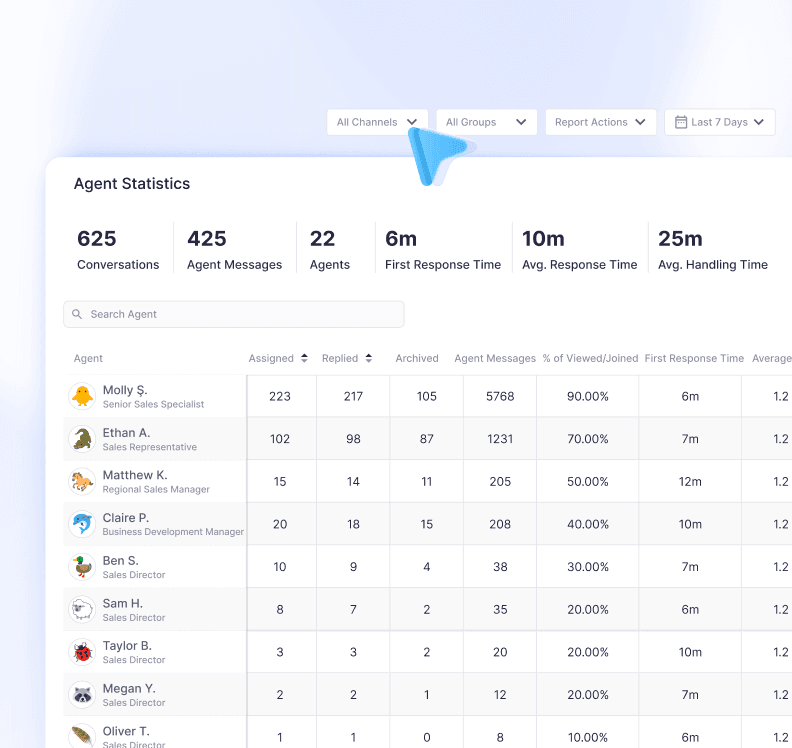
Assigned Conversations
Track the volume of conversations assigned to agents or teams.

Answered Conversations
Review conversations in which agents have actively responded.

Agent Messages
View the number of messages sent by each agent.

Joined Conversations
Track conversations in which agents have participated.

Viewed Conversations
Review conversations viewed by agents.

Viewed / Joined Ratio
Evaluate the ratio between viewed conversations and conversations joined by agents.
Work Activities

Login and Logout
Review the times when agents log in to and out of the platform.

Activity Duration Log
View an agent's status, the start and end times of that status, and the total time spent in it.

Available Time
Track the time agents spend available to receive new conversations.

Break Duration
Review the time agents spend on breaks.

Agent Activity Heatmap
View the distribution of agent activities across different days and hours.
From Aggregate Metrics to Individual Conversations
Analyze conversations with detailed context
Evaluate conversations using channel, group, category, language, and source information. Move from aggregated reporting results to individual conversation records to view participating bots, agents, response times, and archiving information.
Channel and Group
- Channel
- Group
- Conversation Creation Date
- Conversation Status
- Archive Date
- Archived By
Category and Language
- Main Category
- First Subcategory
- Second Subcategory
- Conversation Language
Conversation Participants and Identifiers
- Customer Contact Information
- Customer Creation Date
- CRM ID
- Participating Bots
- Participating Agents
- First Responding Agent
- Number of Template Messages Sent
Post-Conversation Customer Feedback
Evaluate customer feedback alongside conversation data
View survey questions, responses, and written comments collected after customer conversations in your reports. Evaluate multiple survey questions alongside other operational data from the same conversation.
Question
View the survey question presented to the customer in the report.
Question Type
Review the question format used to collect the response.
Response
View the customer's selected or numerical response.
Comment
Review open-ended feedback provided by the customer.
Multiple Questions
When a survey includes multiple questions, include the relevant questions and responses in the report.
Evaluate Feedback with Conversation Context
Analyze survey responses alongside information such as response times, conversation categories, channels, groups, participating agents, and conversation duration.
Bring Reporting Data into Your Analytics Workflows
Bring reporting data into your analytics processes via API
Access Connexease reporting data through the API with the appropriate access permissions and authorization. Generate account-level or conversation-level reports using date ranges and group parameters, and use the data within your organization's analytics environment.
Retrieve account-level reporting data through the API using your specified date range and parameters.
Retrieve account-level reporting data through the API using your specified date range and parameters.
Export conversation records from the selected date range for use in external analytics processes.
Generate reports for daily, weekly, monthly, or custom date ranges by specifying start and end dates.
Run report queries for a specific team or operational group.
Use reporting data in your organization's corporate reporting processes, internal dashboards, periodic operational analyses, and comparisons with other data sources.
Manage different stages of customer communication through the Connexease Platform
Reporting & Performance provides visibility into operational data generated by customer conversations, agent activities, chatbot participation, and Template Message campaigns. Explore the platform capabilities where this data originates.
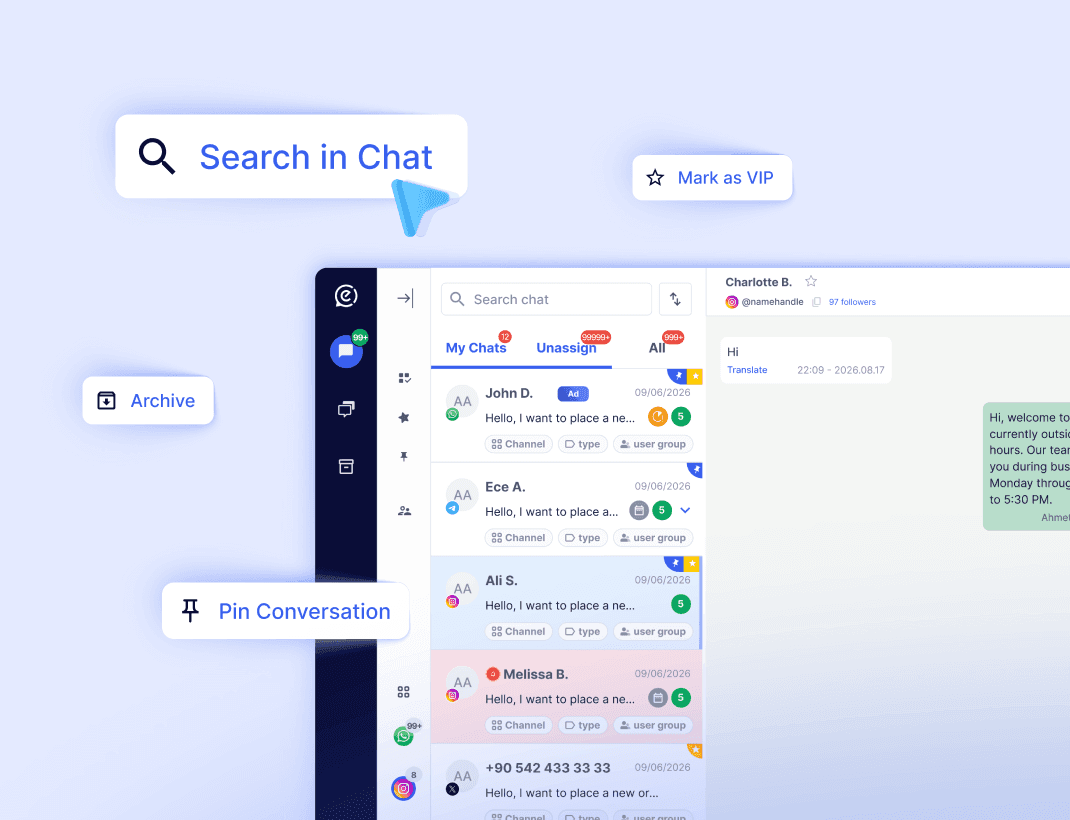
Omnichannel Inbox
Manage Conversations Across Different Channels in a Shared Workspace
Search, organize, and track conversations together with available customer context.
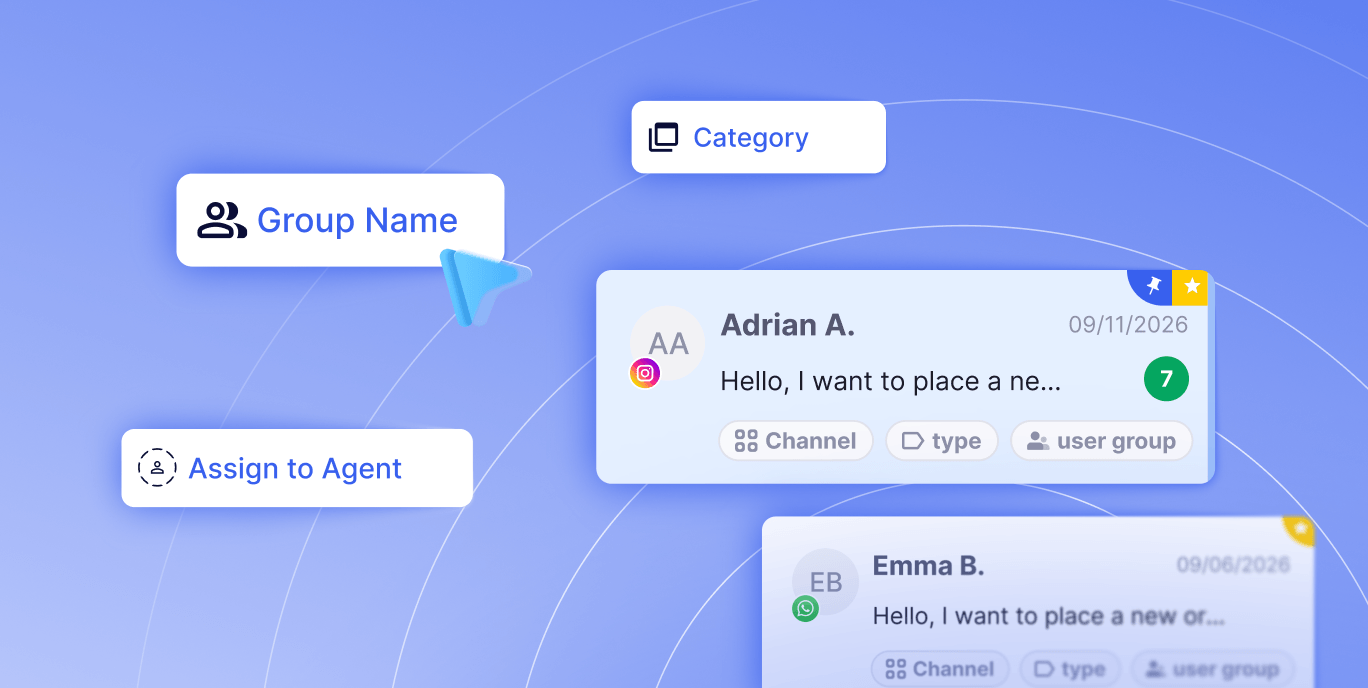
Live Support
Manage Conversation Ownership and Team Workloads
Associate conversations with agents or groups, and organize assignment, transfer, and team workflows.
Chatbot & Automation
Define Automated Actions for Specific Events and Operational Conditions
Manage repetitive tasks using Triggers and Smart Rules, and transfer integrated chatbot conversations to live support when necessary.
CRM & Integrations
Enrich Conversations with CRM Contact Information
View and update contact card fields from HubSpot, Zoho CRM, Jira, and Next4biz directly within Inbox.
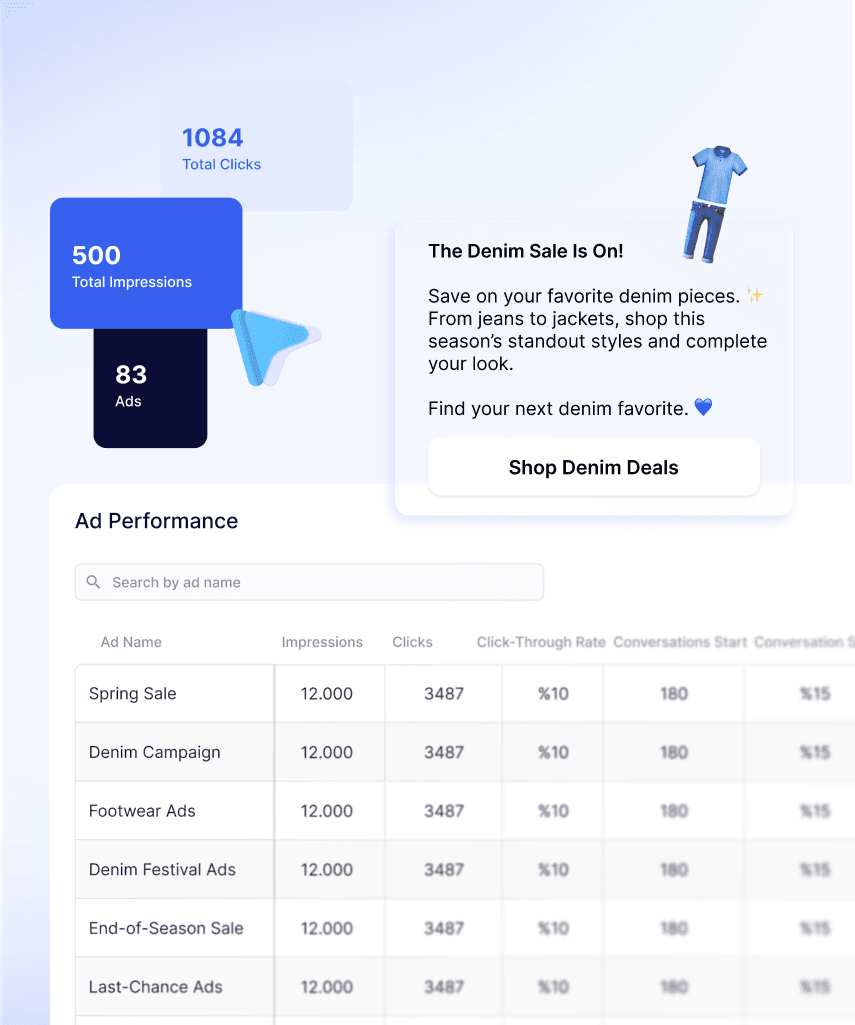
Template Message Management
Create Template Messages, manage the Meta approval process, and use templates across different sending methods. Review sending records in detail within Reporting & Performance.

Let's Explore Your Reporting Setup Together in Connexease
Let's evaluate your conversation and message volumes, team structure, and response performance. We'll demonstrate how the reports you need can be tracked through Connexease.